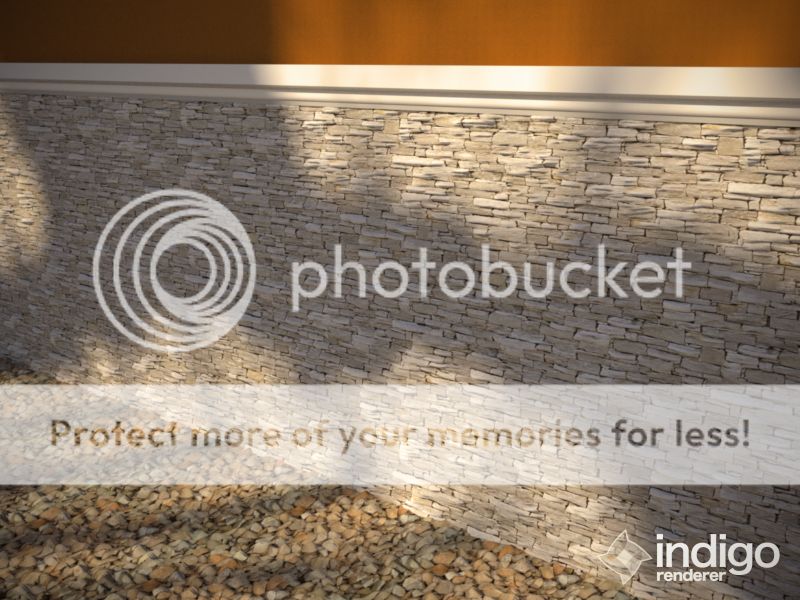
tips & comments are welcome


Looks like a nice displacement test sceneMaya26 wrote:tips & comments are welcome

Zom-B wrote:Looks like a nice displacement test sceneMaya26 wrote:tips & comments are welcome
But I would suggest to raise Indigos Subdivision even further!
Set Subdiv parameters to "view dependent", by that you only subdiv areas of the mesh that are in camera view and save a lot of RAM, also use the Pixel threshold, that takes care that no polygone gets subdived that is smaller then the size of Pixel you set here. But beware that this Pixel value is aiming at the internal resolution you work in, so before super sampling is applied. A Supersampling of 3 tells you that the image is renderd internally 300% of your output size, so a Pixel threshold of 3 would be only 1 pixel for your output image. I usually set it to 1,5*Supersampling value
If you wanna double-check how much your scene is subdived go in your material during rendering in the Indigo GUI, set it to Diffuse, and in the bottom of the material settings you got a checkbox "colored triangles" or so, hit that for some visual feedback on Subdiv!
Also beware that if your Displacement map is grey (RGB 128) centered, so that area stay "not moved", then you need to tweak your A, B and C setting like that:
C= (B/2)*-1
So lets say if B is 0.004 then C needs to be -0.002.
Otherwise you displacements moves the mesh only in normal direction for each pixel that is brighter then pure black...

Someone should start a "Best of Zom-B tipps and tricks" threadPolinalkrimizei wrote:Hey Glare,
please put Zom-B's post directly in the manual. I found myself searching for this kind of info in various forums, which works, but is quite tedious.

Auch mein Gedanke.Polinalkrimizei wrote:Krass was Du ganz nebenbei so alles raushaust, Zom-B, danke!
you a welcome guyscotty wrote:Auch mein Gedanke.Polinalkrimizei wrote:Krass was Du ganz nebenbei so alles raushaust, Zom-B, danke!
I actually have some never released old Tips & Tricks textfile floating on my HDD -.-'Polinalkrimizei wrote:Someone should start a "Best of Zom-B tipps and tricks" thread




That flirt looks quite serious, keep em comingsandidolsak wrote:Hey guys, I was flirting with this render engine for the past week...
I already did some Animations with Indigo, you can see some here, here and here. I just have some more in the pipelinesandidolsak wrote:if I may ask here, is indigo even used for animations, couldn't find anything but tests on youtube...
You can blend your phong material with diffuse-transmitter to achive that. But we all eagerly await the next beta round where we'll hopefully get double sided materialsandidolsak wrote:and wlf_alex, I would really like to know how did you create backlit material for grass? =)
heh, sure!Zom-B wrote:That flirt looks quite serious, keep em coming
Nice stuff there! ...so for now some production value stuff means more or less a renderfarm =)
Thanks for the tip, I tried that but result had a lot of "fireflies" all over the grass and walls, so I thought there was something wrong... will try leave it to clear this time then =)Zom-B wrote:You can blend your phong material with diffuse-transmitter to achive that. But we all eagerly await the next beta round where we'll hopefully get double sided material


I love the concrete but the metals is not as good. It remindes me of sketchup metalsbubs wrote:Archviz cliche I know, but I thought I'd have a go at one of my favoirite buildings as a learning exercise.
My first attempt at (a very small bit) of Louis Kahn Salk Institute, possiblly the start of a series... time depending...
Users browsing this forum: No registered users and 40 guests




