Feature requests, bug reports and related discussion
-
Oscar J

- Posts: 2204
- Joined: Sat Mar 31, 2012 3:47 am
- Location: Gothenburg, Sweden
- 3D Software: Blender
Post
by Oscar J » Sun May 06, 2012 12:18 pm
I get the following error message when I'm trying to use an IES profile for my lamp. The lamp seems to be correctly rotated and I've tried multiple IES files. Any help would be appreciated.

Code: Select all
A problem occurred with the scene:
Error while building scene: IESDataExcep: IESDatumExcep: FileUtilsExcep: Could not open '/private/var/folders/V3/V3qBdgKkGMG5aAuzDXXNtU+++TI/-Tmp-/untitled/Scene/00001/../../../../../../Users/oscaroerikjohansson/Downloads/IES Profiles/19.ies' for reading: File open failed.
Indigo version: Indigo Renderer v3.2.13, OS X 64-bit build.
Exporter: Blendigo 3.2.12.0
Platform: 10.6.8 i386 - Darwin Oscar-Johanssons-iMac.local 10.8.0 Darwin Kernel Version 10.8.0: Tue Jun 7 16:33:36 PDT 2011; root:xnu-1504.15.3~1/RELEASE_I386 i386 i386 - Python 3.2.1 (default, Aug 5 2011, 20:41:36) [GCC 4.2.1 (Apple Inc. build 5666) (dot 3)]
Author: oscaroerikjohansson
Description:
Date created: 2012-05-06 00:17:32 GMT
Please contact support@indigorenderer.com if you have any questions.
-
Oscar J
- Posts: 2204
- Joined: Sat Mar 31, 2012 3:47 am
- Location: Gothenburg, Sweden
- 3D Software: Blender
Post
by Oscar J » Mon May 07, 2012 8:10 am
Nobody got a clue?

Should the post be in the blender section?
-
OnoSendai

- Posts: 6244
- Joined: Sat May 20, 2006 6:16 pm
- Location: Wellington, NZ
-
Contact:
Post
by OnoSendai » Mon May 07, 2012 9:08 am
Maybe the path to your IES file is incorrect. Can you try and open that path directly to see if it's valid?
-
Oscar J
- Posts: 2204
- Joined: Sat Mar 31, 2012 3:47 am
- Location: Gothenburg, Sweden
- 3D Software: Blender
Post
by Oscar J » Mon May 07, 2012 9:53 am
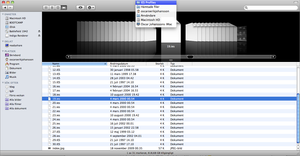
/Users/oscaroerikjohansson/Downloads/IES Profiles/19.ies
I know that this part of the path is correct, but I'm not sure about the other part.
As it says "File open failed", I guess that either it can't read the file itself (even though I've tried many different files), or it just can't locate it on my HDD.
-
Attachments
-
-
Oscar J
- Posts: 2204
- Joined: Sat Mar 31, 2012 3:47 am
- Location: Gothenburg, Sweden
- 3D Software: Blender
Post
by Oscar J » Wed May 09, 2012 3:05 am
Could it be a problem with my hard drive?
-
CTZn
- Posts: 7240
- Joined: Thu Nov 16, 2006 4:34 pm
- Location: Paris, France
Post
by CTZn » Wed May 09, 2012 3:59 am
No it's the way the exporter is making the path up wich returns two different path concatenated, that's the issue it seems.
obsolete asset
-
Oscar J
- Posts: 2204
- Joined: Sat Mar 31, 2012 3:47 am
- Location: Gothenburg, Sweden
- 3D Software: Blender
Post
by Oscar J » Wed May 09, 2012 8:39 am
I see. Do you have any idea how to solve it? I just bought Indigo, and I'd like to use it to it's full potential.
-
CTZn
- Posts: 7240
- Joined: Thu Nov 16, 2006 4:34 pm
- Location: Paris, France
Post
by CTZn » Wed May 09, 2012 11:38 am
Blendigo users would know better than me I'm sorry. I for one would edit the path into the scene definition (IGS) to the right one, the trailing one it seems.
It is plausible that this issue happens only to mac users of blendigo, and perhaps is there an option wich would adress this issue. Or perhaps moving the IES file into a specific directory would but I'm just speculating.
I can only quote OnoSendai in a generic fashion:
As soon as the Blender API settles down, we will add 2.6.3 support.
You can legitimately expect a fix by then. Meanwhile let's see what your blendigo
compadres know about the issue.
obsolete asset
-
Headroom

- Posts: 1061
- Joined: Wed Aug 08, 2007 1:07 pm
- Location: Spartanburg, SC, USA
-
Contact:
Post
by Headroom » Wed May 09, 2012 12:07 pm
I don't recall ever having that sort of issue on my iMac.
In order to narrow down the problem, perhaps you can use file and directory names without "ä" or other "special" characters.
-
Oscar J
- Posts: 2204
- Joined: Sat Mar 31, 2012 3:47 am
- Location: Gothenburg, Sweden
- 3D Software: Blender
Post
by Oscar J » Wed May 09, 2012 5:37 pm
Thanks Headroom but the profile is simply named "19.ies".
Thank you for your support CTZn, I'll wait for 2.63. But would you think that it's possible to select the IES file path directly from Indigo, without using the exporter?
-
Headroom
- Posts: 1061
- Joined: Wed Aug 08, 2007 1:07 pm
- Location: Spartanburg, SC, USA
-
Contact:
Post
by Headroom » Wed May 09, 2012 10:55 pm
If you get the scene to export then you should be able to open in manually with indigo and then select the IES file manually. I have not worked with IES files in a while though.
I'll see if I can try a few things out tonight.
The looooong relative path that's generated by the exporter as seen in the error message still looks very suspicious to me.
Have you tried to change Blender to use absolute instead of relative paths ? I am not sure it even makes a difference but it's easy enough to change. In the Blender User Preferences, "File" tab un-check the "relative paths".
You could also try to follow the output path that's shown in the error message with the Terminal application. Just CD (Change Directory unix command) your way along that path and see if there may be file/directory permission restrictions that prevent the exporter from accessing the file.
-
andeltoz
- Posts: 2
- Joined: Tue Jun 23, 2009 9:02 am
Post
by andeltoz » Thu May 10, 2012 1:01 am
Hello OscarJ
I also have the same problem.
I have Cinema 4D R 13 on the iMac.
-
Oscar J
- Posts: 2204
- Joined: Sat Mar 31, 2012 3:47 am
- Location: Gothenburg, Sweden
- 3D Software: Blender
Post
by Oscar J » Thu May 10, 2012 1:44 am
This is what showed up in console during the export and when Indigo started.
Code: Select all
2012-05-09 15.37.28	CleanMyMacHelperTool[1844]	CleanMyMacHelperTool started as trash size watcher with limit 3221225472 B
2012-05-09 15.37.28	CleanMyMacHelperTool[1844]	CleanMyMacHelperTool exited...
2012-05-09 15.37.28	[0x0-0x150150].org.blenderfoundation.blender[1814]	QPixmap::scaled: Pixmap is a null pixmap
2012-05-09 15.37.28	[0x0-0x150150].org.blenderfoundation.blender[1814]	Info: [Indigo 2012-May-09 15:37:28] Indigo export started ...
2012-05-09 15.37.28	[0x0-0x150150].org.blenderfoundation.blender[1814]	Info: [Indigo 2012-May-09 15:37:28] Writing to /private/var/folders/V3/V3qBdgKkGMG5aAuzDXXNtU+++TI/-Tmp-/untitled.Scene.00001.igs
2012-05-09 15.37.28	[0x0-0x150150].org.blenderfoundation.blender[1814]	Info: [Indigo 2012-May-09 15:37:28] Export render settings
2012-05-09 15.37.28	[0x0-0x150150].org.blenderfoundation.blender[1814]	Info: [Indigo 2012-May-09 15:37:28] Export camera
2012-05-09 15.37.28	[0x0-0x150150].org.blenderfoundation.blender[1814]	Info: [Indigo 2012-May-09 15:37:28] Export tonemapping
2012-05-09 15.37.28	[0x0-0x150150].org.blenderfoundation.blender[1814]	Info: [Indigo 2012-May-09 15:37:28] Parsing objects for scene Scene
2012-05-09 15.37.28	[0x0-0x150150].org.blenderfoundation.blender[1814]	Info: [Indigo 2012-May-09 15:37:28] Mesh Export: Plane_001_Material_001
2012-05-09 15.37.28	[0x0-0x150150].org.blenderfoundation.blender[1814]	Info: [Indigo 2012-May-09 15:37:28]  -> /private/var/folders/V3/V3qBdgKkGMG5aAuzDXXNtU+++TI/-Tmp-/untitled/Scene/00001/Plane_001_Material_001.igmesh
2012-05-09 15.37.28	[0x0-0x150150].org.blenderfoundation.blender[1814]	Info: [Indigo 2012-May-09 15:37:28] Mesh Export: Plane
2012-05-09 15.37.28	[0x0-0x150150].org.blenderfoundation.blender[1814]	Info: [Indigo 2012-May-09 15:37:28]  -> /private/var/folders/V3/V3qBdgKkGMG5aAuzDXXNtU+++TI/-Tmp-/untitled/Scene/00001/Plane.igmesh
2012-05-09 15.37.28	[0x0-0x150150].org.blenderfoundation.blender[1814]	Info: [Indigo 2012-May-09 15:37:28] Light layer 0: default
2012-05-09 15.37.28	[0x0-0x150150].org.blenderfoundation.blender[1814]	Info: [Indigo 2012-May-09 15:37:28] Export lamps
2012-05-09 15.37.28	[0x0-0x150150].org.blenderfoundation.blender[1814]	Info: [Indigo 2012-May-09 15:37:28] Exported used materials
2012-05-09 15.37.28	[0x0-0x150150].org.blenderfoundation.blender[1814]	Info: [Indigo 2012-May-09 15:37:28] Exported 2 meshes
2012-05-09 15.37.28	[0x0-0x150150].org.blenderfoundation.blender[1814]	Info: [Indigo 2012-May-09 15:37:28] Exported 2 object instances to /private/var/folders/V3/V3qBdgKkGMG5aAuzDXXNtU+++TI/-Tmp-/untitled/Scene/00001/objects.igs
2012-05-09 15.37.28	[0x0-0x150150].org.blenderfoundation.blender[1814]	Info: [Indigo 2012-May-09 15:37:28] Export finished; took 0.022755 seconds
2012-05-09 15.37.28	[0x0-0x150150].org.blenderfoundation.blender[1814]	Info: [Indigo 2012-May-09 15:37:28] Starting indigo: ['/Applications/Indigo Stable/Indigo Renderer/Indigo.app/Contents/MacOS/Indigo', '/private/var/folders/V3/V3qBdgKkGMG5aAuzDXXNtU+++TI/-Tmp-/untitled.Scene.00001.igs', '-o', '/private/var/folders/V3/V3qBdgKkGMG5aAuzDXXNtU+++TI/-Tmp-/untitled.Scene.00001.png']
2012-05-09 15.37.28	[0x0-0x150150].org.blenderfoundation.blender[1814]	Info: [Indigo 2012-May-09 15:37:28] Started Indigo process, PID: 1848
2012-05-09 15.37.28	[0x0-0x150150].org.blenderfoundation.blender[1814]	Loading IES datum from '/private/var/folders/V3/V3qBdgKkGMG5aAuzDXXNtU+++TI/-Tmp-/untitled/Scene/00001/../../../../../../Users/oscaroerikjohansson/Downloads/IES Profiles/19.ies'...
2012-05-09 15.37.28	Indigo[1848]	invalid drawable
2012-05-09 15.37.28	[0x0-0x150150].org.blenderfoundation.blender[1814]	2012-05-09 15:37:28.948 Indigo[1848:903] invalid drawable
So... invalid drawable seems to be fatal error message. Thank you for the tips Headroom. I tried to uncheck the relative path option, but that seemed to make no difference. I hope there is some way for me to open the IES manually, I'll try as well. Please share what you find out!
-
Zom-B

- Posts: 4701
- Joined: Tue Jul 04, 2006 4:18 pm
- Location: ´'`\_(ò_Ó)_/´'`
-
Contact:
Post
by Zom-B » Thu May 10, 2012 2:19 am
Oscar J wrote:I hope there is some way for me to open the IES manually, I'll try as well. Please share what you find out!
open the exported IGS file and correct the path by hand... at least that should work.
polygonmanufaktur.de
-
CTZn
- Posts: 7240
- Joined: Thu Nov 16, 2006 4:34 pm
- Location: Paris, France
Post
by CTZn » Thu May 10, 2012 3:04 am
Zom-B wrote:Oscar J wrote:I hope there is some way for me to open the IES manually, I'll try as well. Please share what you find out!
open the exported IGS file and correct the path by hand... at least that should work.
To clarify: the proposed workaround is to open the exported scene definition (IGS) to edit the path to the IES, not the IES itself.
Textedit should do, search there for your user name 'oscaroerikjohansson' and that should led you to the erroneous path to edit. Save the file with the original IGS extension and open it back with Indigo.
obsolete asset
Who is online
Users browsing this forum: No registered users and 8 guests


