Get feedback from others on your works in progress
-
kikeonline

- Posts: 160
- Joined: Wed May 21, 2008 2:47 am
- Location: Nicaragua
Post
by kikeonline » Thu Mar 26, 2009 6:54 am
Sup Guys!!!
I need Indigo's masters help.
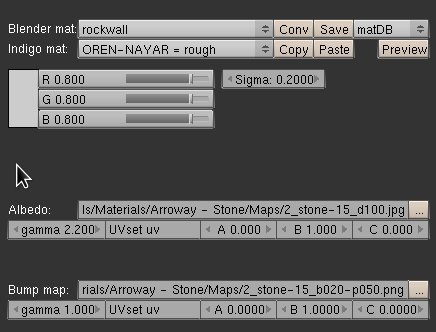
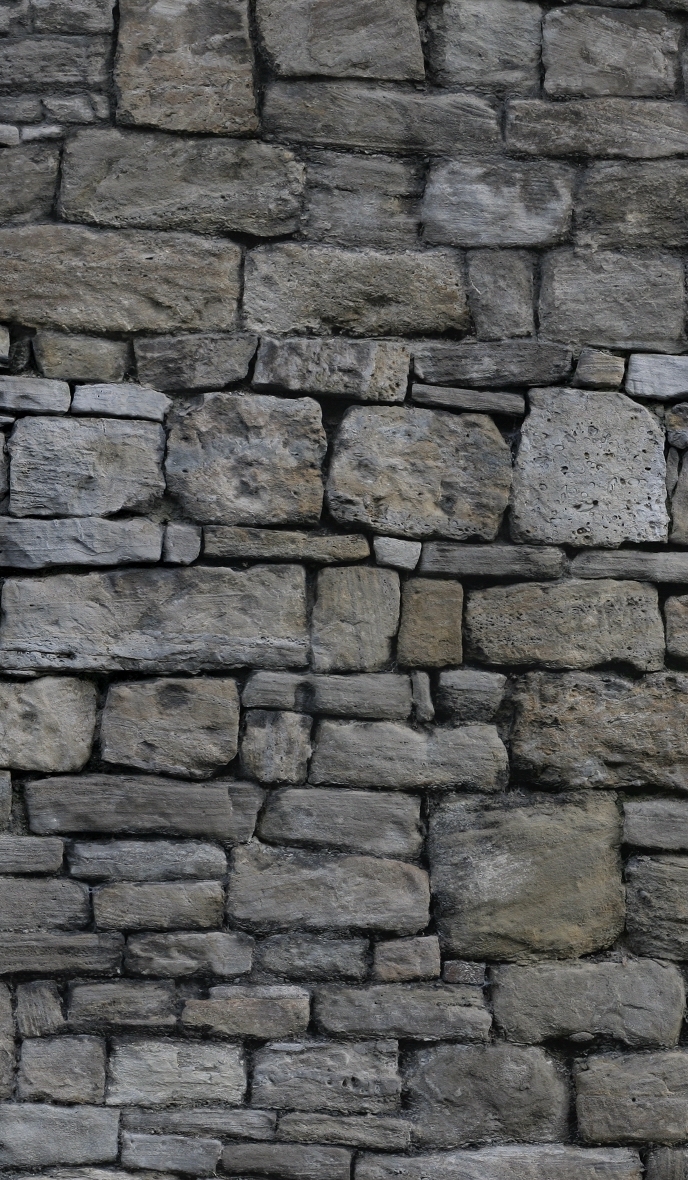
How can I make those Stone more bumpy without displacement? They look very flat to me (on the rendered image)

-
Attachments
-

- 2_stone-15_b020-p050.jpg (208.59 KiB) Viewed 16013 times
-
- Screenshot.jpg (29.49 KiB) Viewed 16011 times
-

- im1237958268.jpg (431.02 KiB) Viewed 16013 times
-
- 2_stone-15_d100.jpg (700.56 KiB) Viewed 16015 times
-
Borgleader
- Posts: 2149
- Joined: Mon Jun 16, 2008 10:48 am
Post
by Borgleader » Thu Mar 26, 2009 10:11 am
Have you tried increasing the "b" value?
benn hired a mercenary to kill my sig...
-
CTZn
- Posts: 7240
- Joined: Thu Nov 16, 2006 4:34 pm
- Location: Paris, France
Post
by CTZn » Thu Mar 26, 2009 11:53 am
Yes, did you evaluate the bump without a textured albedo first ?
What's the real limitation for not using displacement in this scene ?
-
SmartDen

- Posts: 999
- Joined: Fri Oct 13, 2006 10:58 pm
- Location: Canary Islands
-
Contact:
Post
by SmartDen » Thu Mar 26, 2009 8:57 pm
set the bump gamma value to 2.2
Check normals, dude!


-
Jambert

- Posts: 545
- Joined: Wed Jul 30, 2008 10:08 pm
- Location: France, Lyon
Post
by Jambert » Fri Mar 27, 2009 5:50 am
water material is great

-
Psychotron80
- Posts: 96
- Joined: Tue Dec 16, 2008 8:18 pm
Post
by Psychotron80 » Fri Mar 27, 2009 9:41 am
Jambert wrote:water material is great
yep! can you post material settings, please?
-
Stur
- Posts: 594
- Joined: Fri Nov 10, 2006 11:52 pm
- Location: Nancy, France
Post
by Stur » Fri Mar 27, 2009 9:54 am
May I ask why you don't want to use displacement ?
Bumpmaps always look flat when not seen from straight angles.
-
Borgleader
- Posts: 2149
- Joined: Mon Jun 16, 2008 10:48 am
Post
by Borgleader » Fri Mar 27, 2009 10:07 am
Stur wrote:May I ask why you don't want to use displacement ?
Bumpmaps always look flat when not seen from straight angles.
Indeed because bump mapping is just applying a a shadow map on top of the mesh to simulate the shadows. so the less perpendicular youre viewing angle is from the mesh surface, the "faker" it looks.
benn hired a mercenary to kill my sig...
-
CTZn
- Posts: 7240
- Joined: Thu Nov 16, 2006 4:34 pm
- Location: Paris, France
Post
by CTZn » Fri Mar 27, 2009 11:04 am
The first part of your sentence is incorrect Borgleader, unlike the second

Differences in shading with bump occurs because it is perturbing the normal to the surface, effectively changing it's local orientation to the renderer and thus the outgoing direction of light after it interacted with the material, it's not just perturbing albedo (not at all in fact).
What's the height of the walls above the water surface Kike ? 1 seems a strong value for bump but am not a blender user, am I missing something ?
-
kikeonline
- Posts: 160
- Joined: Wed May 21, 2008 2:47 am
- Location: Nicaragua
Post
by kikeonline » Sun Mar 29, 2009 6:33 pm
Thanks a lot for the suggestion, I will try them all.
I'm still learning displacement on blender and indigo.
see you guys later

-
Borgleader
- Posts: 2149
- Joined: Mon Jun 16, 2008 10:48 am
Post
by Borgleader » Mon Mar 30, 2009 9:27 am
I think it would be pretty illogical to bust you for promoting another part of the indigo website

benn hired a mercenary to kill my sig...
Who is online
Users browsing this forum: No registered users and 25 guests


