Page 1 of 2
0.7 Documentation (WIP)
Posted: Sun Jan 28, 2007 7:29 pm
by OnoSendai
EDIT:
To get the current reference manual, download the latest indigo distribution, or get it from the 'Documentation / Indigo Reference Manual' menu above.
Here's the 0.7 documentation, scene file format etc...
Still a WIP

This should be the authoritative source for information, *if* it is covered in here.
http://www.indigorenderer.com/montecarl ... Manual.pdf
Feel free to comment; also if there's anything anyone *really* needs documented, please tell me.
Posted: Mon Jan 29, 2007 6:46 am
by tizxx
You do a very good jog.
The documentation is very very important.
Many many thanks for this another step forward.
Thank you very much.
Posted: Mon Jan 29, 2007 7:09 am
by CTZn
That was needed, thank you very much Ono !
Posted: Mon Jan 29, 2007 9:13 am
by VictorJapi
has specular lost the color prop?
Posted: Mon Jan 29, 2007 9:19 am
by Zom-B
VictorJapi wrote:has specular lost the color prop?
As far as I understood, the color gets defined in the absorption_coefficient_spectrum of the medium

so if you want a red specular you have define:
Code: Select all
<absorption_coefficient_spectrum>
     <rgb>
        <rgb>0 1 1</rgb>
     </rgb>
</absorption_coefficient_spectrum>
(The values may be much bigger than 1)
Posted: Tue Jan 30, 2007 12:30 am
by CTZn
if there's anything anyone *really* needs documented, please tell me.
Well, I think material blending (and null_material btw, does that exist anyway ?) are worth to be documented
Thanks
Posted: Thu Feb 15, 2007 11:45 am
by j_07
Concerning the texture projection:
"[...]all components will be converted to display values by raising to the power of 2.2."
But there is an "exponent"-tag set to 2.2. So does this tag have any influence on the textures gamma curve yet?
And there is also an exponent (set to linear 1.0) for bump mapping? Tweakable or not?
Posted: Thu Feb 15, 2007 11:56 am
by fused
@j_07
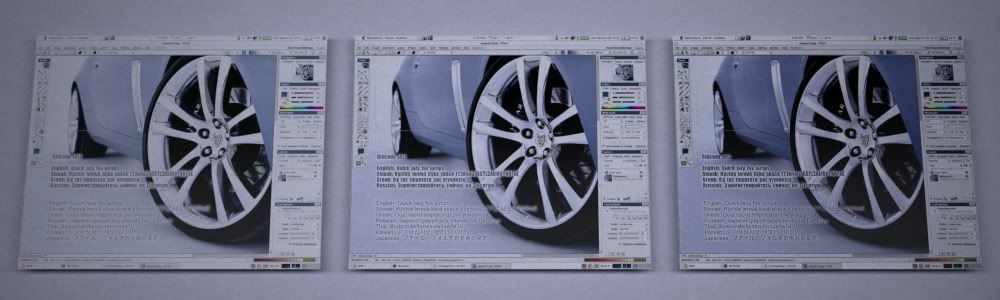
a while ago i did a testrender for that.
link to the image
from left to right exponent = 1.0, 1.5, 2.2
yes it has some influence
Posted: Thu Feb 15, 2007 12:02 pm
by OnoSendai
j_07 wrote:Concerning the texture projection:
"[...]all components will be converted to display values by raising to the power of 2.2."
This refers only to the RGB diffuse colour of the diffuse material and the phong material. It is not applied to texture values, instead the exponent is given by the <exponent> tag in the texture element.
Posted: Thu Feb 15, 2007 12:07 pm
by j_07
Thanks!
Posted: Thu Feb 15, 2007 12:17 pm
by j_07
Ok, so the rgb values for the base colour have a fixed gamma gradient.
Hmm... although I think the idea of having gamma correction in rgb values is quite progressive, this fact makes it harder to create previews for Indigo Scenes in modelling environments. But anyways... we have Pixelshaders to tweak on the other side... let's go for it.
Posted: Thu Feb 15, 2007 1:58 pm
by j_07
BTW, what is the tag "<uv_set>" used for in texture and bump?
Posted: Thu Feb 15, 2007 2:02 pm
by j_07
The TexCoords are part of the mesh description. So I have no idea.
Sorry for bothering but as long as the manual isn't finished I prefer asking.
Also, what after-comma-precission is required/supported when exporting a scene?
Posted: Fri Feb 16, 2007 1:47 am
by OnoSendai
j_07 wrote:Ok, so the rgb values for the base colour have a fixed gamma gradient.
Hmm... although I think the idea of having gamma correction in rgb values is quite progressive, this fact makes it harder to create previews for Indigo Scenes in modelling environments. But anyways... we have Pixelshaders to tweak on the other side... let's go for it.
In practice, it means that the final result colours match those that u choose in your colour picker in the modelling program.
Posted: Fri Feb 16, 2007 1:49 am
by OnoSendai
j_07 wrote:BTW, what is the tag "<uv_set>" used for in texture and bump?
The uv_sets, when defining a texture element, choose which set of UV texture coordinates to use.
The uv_set value needs to match a uv_set exported from a mesh.