Page 1 of 1
Yet another kitchen...
Posted: Tue Jul 28, 2009 7:59 pm
by madcoo
Hi everyone!
Here's a kitchen scene I made yesterday - as always, all comments are welcome!
Many thanks to Pibuz and PureSpider for introducing me to exit portals : just brilliant!!!

Re: Yet another kitchen...
Posted: Tue Jul 28, 2009 8:27 pm
by cooler_inc
Maybe add some water to the sink and dirty plates
towel looks good

Re: Yet another kitchen...
Posted: Tue Jul 28, 2009 8:31 pm
by madcoo
Yep, that'd be a good idea!
I also thought I could hang a small picture frame on the wall near the right-hand corner.
I'll try making some water leaking from the tap, and a stack of plates - thanks!
Re: Yet another kitchen...
Posted: Tue Jul 28, 2009 9:56 pm
by benn
What is the rest of the scene? I think you need to model some of the kitchen so that the reflections are better.
Re: Yet another kitchen...
Posted: Tue Jul 28, 2009 10:15 pm
by madcoo
You're right - there's nothing else in this scene...
Indeed, it would give a better effect to the reflections.

That's something I'll remember when I model other scenes, thanks!

Re: Yet another kitchen...
Posted: Tue Jul 28, 2009 10:53 pm
by Pibuz
Hi mad! Another test here, I see..
So, here are my comments:
1. the overall lighting seems to be oversaturated, most of all towards the yellow hue. Perhaps adding more objects would correct this overall feeling;
2. I find the sink to be too deep, and too...perfect: try beveling some edges, or putting something dirty inside; maybe the stone material itself needs a little more work;
3. there seem to be some problems about the base of your faucet (you see that too)
;
4. I think the wooden table is too wide, and it's material is too..clean: maybe adding a exp map would help a little;
5. The pot and the juice extractor are GREAT!
6. the towel is AMAZING.
Re: Yet another kitchen...
Posted: Tue Jul 28, 2009 10:58 pm
by madcoo
Thanks for your comments!
I'm making a list of the things I have to do on this image, so your comments are really helpful!
I'll post it as soon as I've got an updated version!
Re: Yet another kitchen...
Posted: Wed Jul 29, 2009 9:28 pm
by madcoo
Hi!
Here's the
second version:
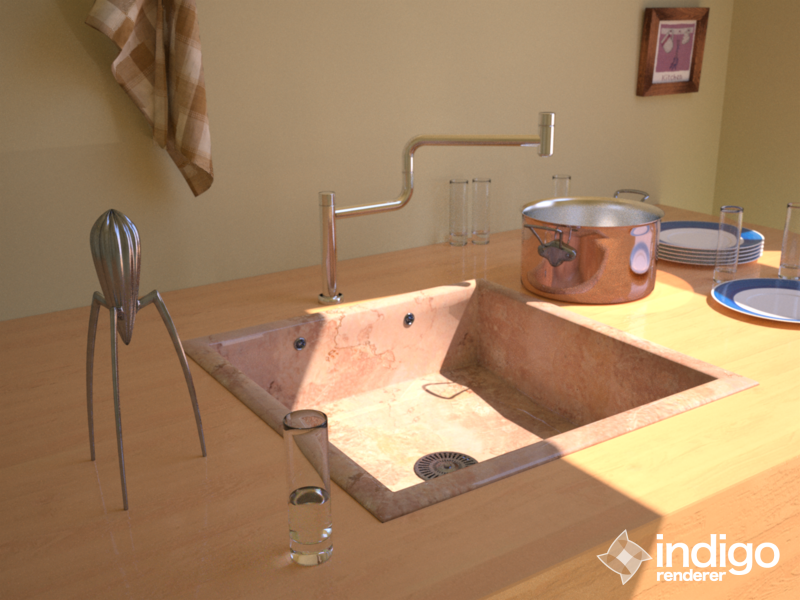
- Cuisine_TaraUltra_1.png (567.78 KiB) Viewed 4425 times
And here it is again, with a Photoshop Glow effect (I love it, very romantic!

)
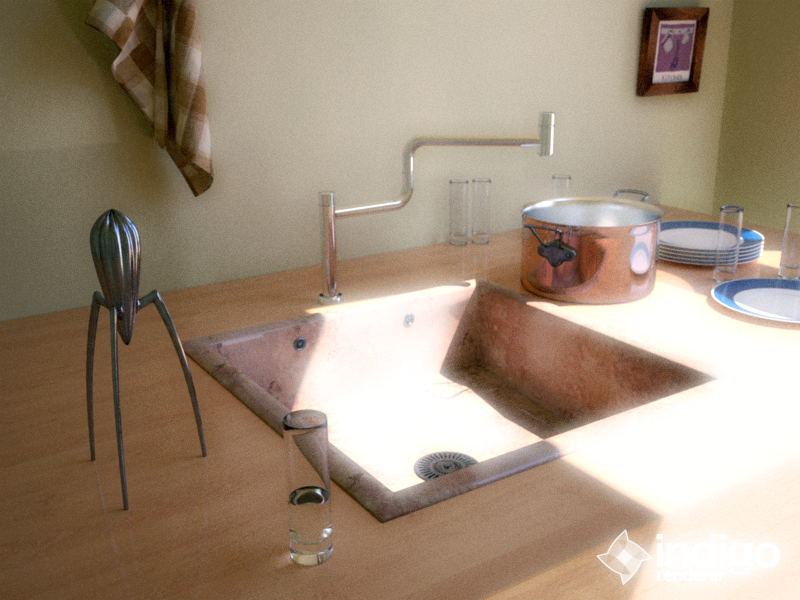
- Cuisine_TaraUltra_Glow.png (751.04 KiB) Viewed 4424 times
I've also made a sample of different
color balances - which one is your favourite?
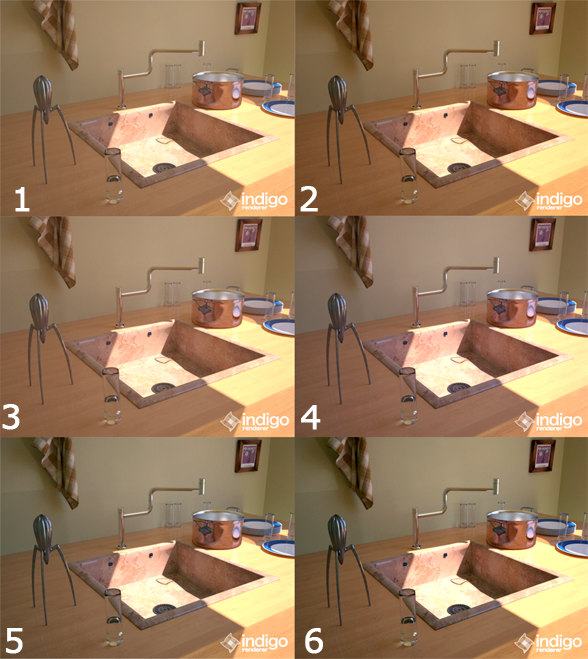
- Palette.png (535.14 KiB) Viewed 4421 times
I took into account all of your critics, but sorry Benn I didn't have enough time to model the rest of the scene.
Oh and by the way - it's normal there's this "yellow hue" to it - the wall is yellow
And... I tried to get rid of the "black rims" on the glasses, but just could'nt...

Pleeaaaase let me know what you think about all this !
Thanks again guys!!!
Re: Yet another kitchen...
Posted: Wed Jul 29, 2009 9:38 pm
by CTZn
I think, that you are skilled for a noob (edit: but I must be confusing you with someone else)
I like what you did, more than the given reference.
http://www.dornbracht.com/en/index.htm? ... 35&id=3778
I have no real preference atm, but its such a good start that I'd like to see more.
Perhaps focus on objects and geometric details first, that's what light needs to create shades
Then refine shaders and textures etc.
Suggestions: "étagères" salt pepper mint grapes (fruits and ingredients) cutting board knifes ceramic tiles...
edit: about the black rims on glasses, whaat found that disabling bidir would alleviate them. I think they are mediums self/inter reflections. Somehow the issue seems to be linked with scale, but that's hardly usefull to know.
Re: Yet another kitchen...
Posted: Wed Jul 29, 2009 9:52 pm
by madcoo
CTZn wrote:I think, that you are skilled for a noob
I like what you did, more than the given reference.
Wow!

Thanks a lot, I'm speechless!
I still have many things to learn, but little by little I'll get there!
Thanks for the tip regarding the dark edges on the rims, I'll give it a go.
I applied size and rotation data to all objects in the scene - not really sure what it does, but I've seen many topics where they advise to do it...

Maybe it tells Blender that all objects share the same scale, taking no longer into account their initial scale, and apply the current scale in the present scene?
Thanks again for your compliments, but I could achieve this only thanks to your comments!
Re: Yet another kitchen...
Posted: Mon Aug 10, 2009 6:56 pm
by madcoo
Madcoo wrote:Thanks again for your compliments, but I could achieve this only thanks to your comments!
I meant EVERYONE'S comments of course.
Re: Yet another kitchen...
Posted: Wed Aug 19, 2009 2:44 am
by madcoo
(sorry, nothing new to show for now...)
I've got a question:
I heard it was possible to get a "glow effect" with Indigo, instead of post-doing it with Photoshop...
Anyone knows how to do this?
Do you get this effect by playing with the Aperture Diffraction of the camera?
Thanks!
(eh eh eh, by the way, in my latest scene, you might not have noticed it, but I forgot to model THE most important thing: the bit that controls the cold/hot water!!! What a cretin I am!
)
(edit: maybe after all it's in the tap itself - I can't see this bit anywhere on the given pictures in the official website

)
Re: Yet another kitchen...
Posted: Wed Aug 19, 2009 3:20 am
by Pibuz
Hi Mad!
About the glow effect you refer to, I can confirm that it is related to the aperture diffraction physical effect. The effect is more visible if you use high aperture values (f/22 or more): the higher is the number the more the diffraction will be visible.
Simply set the Aperture value to a high number and activate it in the INDIGO GUI. Remember that with high aperture values you increase the DOF, so you won't be able to have objects out of focus, in most cases.
Re: Yet another kitchen...
Posted: Wed Aug 19, 2009 8:00 pm
by madcoo
Hi Pibuz!
Thanks for the tip, I'll try it as soon as possible!