Page 1 of 1
Config Question
Posted: Wed Jan 28, 2009 5:13 am
by Cyberdactyl
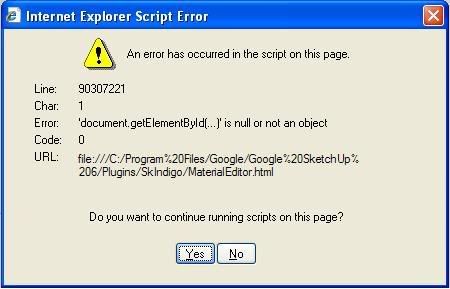
I'm having trouble getting the scripts to work and bring up the material editor. I DID try the newer version 1.1.5, but couldn't get to work, so I went back to 9. But I still get the newer dialog box. Here's what pops up. I can hit 'yes' several times and I sort of have it working. Anybody have any ideas?
Posted: Wed Jan 28, 2009 10:00 am
by crojack
generally this happens when you have a Skindigo version in skp working with an incompatible indigo version.
also, it is possible to ahve multiple Skindigo's working in skp.
Posted: Wed Jan 28, 2009 5:20 pm
by cpfresh
i would suggest deleting your current skindigo files and reinstall. looks like something got messed up...
Posted: Thu Jan 29, 2009 4:02 am
by Cyberdactyl
Well I completely uninstalled SketchUp and started from scratch with everything.
I'm using SU 6.0.312 and Indigo 1.0.9_3 and SkIndigo 1.0.9 OFFICIAL and it is still doing it.
Don't understand it...it worked till I tried 1.1.15
Posted: Thu Jan 29, 2009 4:28 am
by crojack
sounds like something in there left over from 1.1.5
did you delete all of the 1.1.5 stuff? I including the 1.1.5.rb and the text file that points to the version of Indigo you want to use?
Posted: Thu Jan 29, 2009 7:38 am
by Cyberdactyl
Sorry...I'm a moron.
I didn't put the SkIndigo folder in the Plugin Folder.

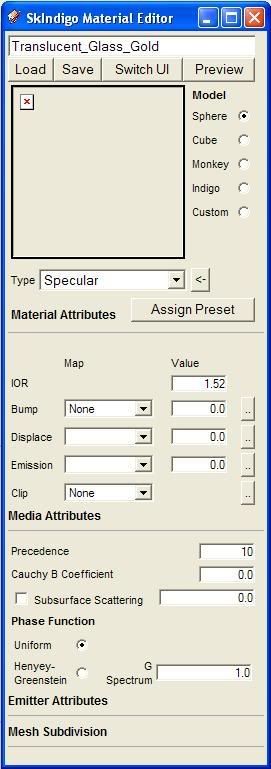
I have it working again, but I still don't see anything in the window under LOAD|SAVE SWITCH| UI.