Page 1 of 3
SkIndigo 1.1.1
Posted: Sat May 31, 2008 6:49 pm
by Whaat
This release is for ADVANCED users only!!!! You've been warned!

I was able to get some of the new features working to a certain degree. If you enable Indigo subdivision, a modified mesh export routine will be used that does not export duplicate vertices. However, this will result in UVs being messed up UNLESS each vertex has only one UV coordinate associated with it (this is usually the case if you use projected textures in SketchUp).
#Version 1.1.1
#Removed: option to enable or disable normal smoothing
#Added: support for displacement mapping
#Added: support for indigo subdivision and smoothing
#Added: support for fractal brownian motion procedural texture
How to use FBM procedural textures:
1) Create a material that has a texture-map
2) Name the material "FBM"
3) Select the FBM as a map in any of the channels (bump, displacement, etc.)
4) In the advanced texture editor dialog, you will see the new parameteres (u_scale and v_scale)
I'm tired so that's all for now. Don't expect everything to work. I haven't tested all of it.
Whaat
Posted: Sat May 31, 2008 6:55 pm
by Stinkie
Groovy. Thanks.
Posted: Sat May 31, 2008 7:12 pm
by cpfresh
AWESOME!!

Thank you!
Posted: Sat May 31, 2008 8:14 pm
by kwistenbiebel
Thank you!
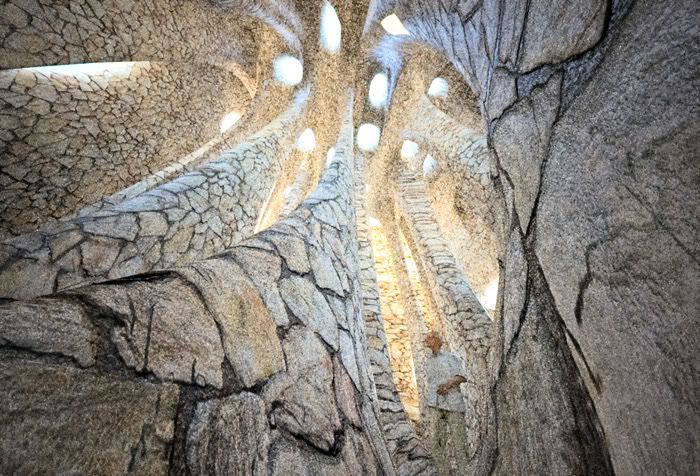
As a coincidence, I was just preparing this scene to be rendered with displacement if 1.1.1 would arrive.

. I am curious how that will turn out...
Posted: Sat May 31, 2008 8:15 pm
by remus
Cheers whaat, i'll have to build up a bit of courage before i have a go with this

Posted: Sat May 31, 2008 9:49 pm
by kwistenbiebel
I am going to go back to 1.0.9 for the time being, as I can't get it to work.
The default SU smoothing is gone and instead I get really tesselated meshes.
I guess either I am not the expert, or we should let Ono work some more on a simpler system to overcome the single vs. double UV-set thing

Posted: Sat May 31, 2008 11:19 pm
by Pibuz
Since i'm no pro user, i think i will sit and wait for the next release. BTW i would like to thank you so much for all the efforts you're putting in it!
Posted: Sun Jun 01, 2008 1:58 am
by Whaat
kwistenbiebel wrote:Thank you!
As a coincidence, I was just preparing this scene to be rendered with displacement if 1.1.1 would arrive.
. I am curious how that will turn out...
Hi biebel,
Any chance of sharing the SKP file? I would love to try getting the displacement to work.
Posted: Sun Jun 01, 2008 4:10 am
by kwistenbiebel
Whaat, could you send me your e-mail by PM?
It's a 60Mb file so I need to use Yousendit to get it to you.
Posted: Sun Jun 01, 2008 4:35 am
by kwistenbiebel
Whaat,
Check your PM inbox.
I pm'ed you a download link. The displacement texture for the rocks is contained in one of the SU materials of the scene.
Cheers,
Kwistenbiebel
Posted: Sun Jun 01, 2008 6:28 pm
by Whaat
I think there were a few problems with your scene:
1) You probably didn't use Indigo subdivision. You should set the max number of subdivisions to a number greater than zero when using displacement mapping. Keep increasing the number until you are satisfied
2) The entire scene was made up of reversed faces. This completely messed up the displacement mapping.
3) The scene is WAY too huge and complex to be using displacement mapping and Indigo subdivision for the ENTIRE scene. One workaround would be to create a new material that will just be used for the rocks that are close to the camera. This material can have subdivision and displacement applied. To simplify your scene, I simply deleted about 80% of the faces.
Once I fixed these three things, the displacement rendered great!
Posted: Sun Jun 01, 2008 8:06 pm
by kwistenbiebel
Oh yeah, the displacement is convincing.
What values were used? (displacement, subdivision,curvature etc...).
Do we have to apply a subdivision value for each curved material now, instead of relying on the default 'soften edges' smoothing of SU ?
Thanks for testing the file.
Cheers,
Kwistenbiebel
Posted: Sun Jun 01, 2008 10:23 pm
by BbB
The scene is WAY too huge
As long as the divided mesh is kept in memory, we'll have to limit the number of surfaces or objects that are displaced in a scene. Hopefully, Ono will find a way eventually to subdivide these surfaces on the fly without having to store them in memory, the way Fry handles MPD for instance.
Posted: Sun Jun 01, 2008 11:26 pm
by OnoSendai
I think that scene would work fine with subdivision. Just use view-dependent subdivision.
Posted: Mon Jun 02, 2008 12:02 am
by BbB
